


atharva: fetch, test and submit Codeforces problems from your terminal
Hi everyone,
I made a small command-line tool for my own practice and thought some of you might find it useful too.
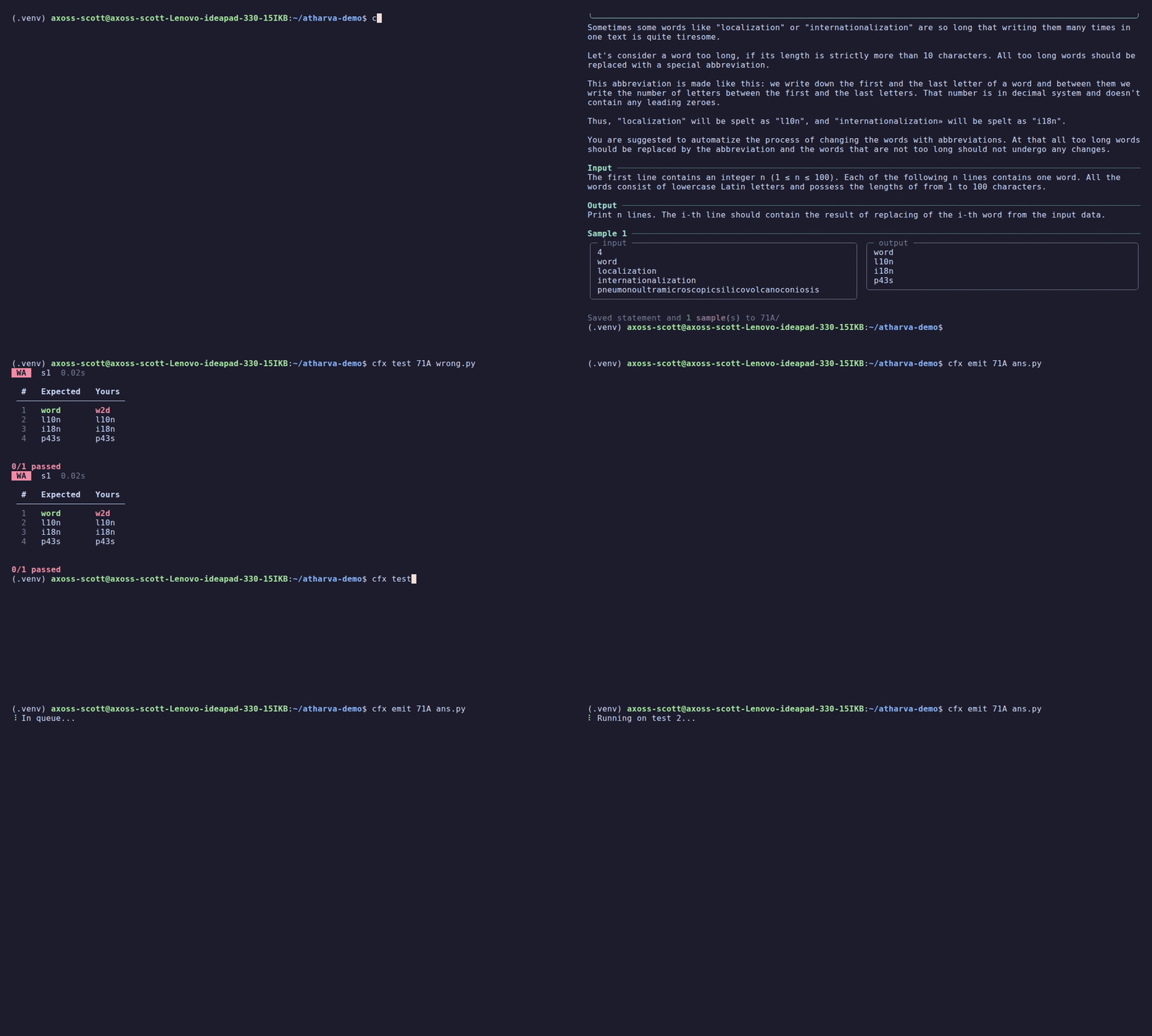
Install (needs Python and Google Chrome):
pipx install atharva
cfx login
Usage:
cfx fetch 1878E           # statement + samples into ./1878E/
cfx test 1878E ans.cpp    # run all tests locally
cfx add 1878E             # add a custom test
cfx emit 1878E ans.cpp    # submit and watch the verdict live
Why another tool?
cf-tool and CPH are great and inspired this. I wanted a few specific things in one terminal tool:
- Highlighted diffs. On a wrong answer locally, it shows expected vs your output line by line and highlights the exact values that differ.
- Readable statements. The statement is printed in the terminal with math converted to symbols (
aᵢ ≤ 10⁹) and samples side by side. It's also saved asstatement.md. - Live verdicts. After submitting, it shows which test is running, then the final verdict, time and memory.
- Custom tests, including tests without an expected answer (it just shows your output).
Supports C++, Python, C, Java and Rust, chosen by file extension. C++ is compiled locally with -DLOCAL, so anything inside #ifdef LOCAL (like debug prints) runs on your machine but not on the judge.
How it works
Codeforces is behind Cloudflare, so the tool uses your own logged-in Chrome session (through Playwright) to fetch pages and submit, the same way you would by hand. Verdicts come from the official API, polled at most once every 2 seconds to stay within the rate limit.
Known limitations
- During live contests, Codeforces doesn't show test data, so you only get the test number on a failure.
- Math conversion covers common LaTeX. Rare notation may still show up as plain text.
- It's version 0.1, so expect some rough edges.
It's open source (MIT): https://github.com/akshayvr-programmer/atharva
Bug reports, suggestions and criticism are all welcome. If something breaks for you, please open an issue with the problem code and command you ran. Thanks for reading!


