


CFPusher — Automatically push Codeforces Submissions to GitHub
Have you ever wanted to keep track of your Codeforces streaks and problem-solving progress without lifting a finger? What if I told you there's now an extension that automatically does it for you — and even pushes your accepted solutions to GitHub instantly? Introducing CFPusher — a sleek, lightweight Chrome extension built with love for competitive programmers like you.
SCREENSHOTS:


What does it do?
- Auto-Sync Accepted Submissions: Say goodbye to manual copy-pasting. As soon as you get an "Accepted" verdict, your solution is automatically committed and pushed to your selected GitHub repo.
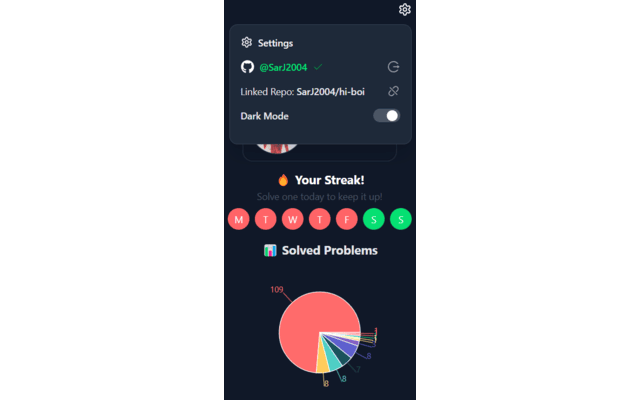
- Track Your Problem-Solving Streak: Never break the chain! The extension visually tracks your daily solving streak for the current week — perfect for keeping yourself motivated and consistent.
- Rating-Wise Problem Stats: See your solved problems categorized by difficulty in a beautiful chart, right in the extension popup.
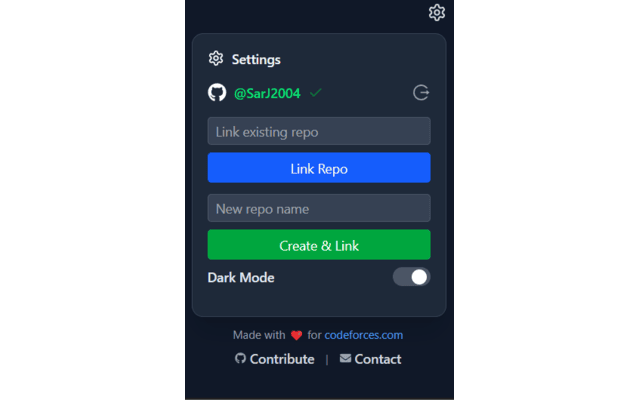
- Secure GitHub Integration: Log in with GitHub, select or create a repo, and you're good to go. Your access token stays safe — stored locally, never sent anywhere else.
Why you'll love it
No more copy-paste fatigue
Track your growth over time
Automatically build a public GitHub archive of your CP journey
Works silently in the background — you just focus on solving


