


UPD (Nov 2026): this post was about v1.3.1, Sameko is at v1.4.0 now. Thanks for all the feedback in the comments, a lot of it made it in:
- Vim mode
- Format on save (13 AStyle styles)
cerrgoes to its own Stderr card, so debug prints stay out of your output and AC/WA- The terminal no longer has to pop up on every run (Settings > Execution > Show Terminal on Run)
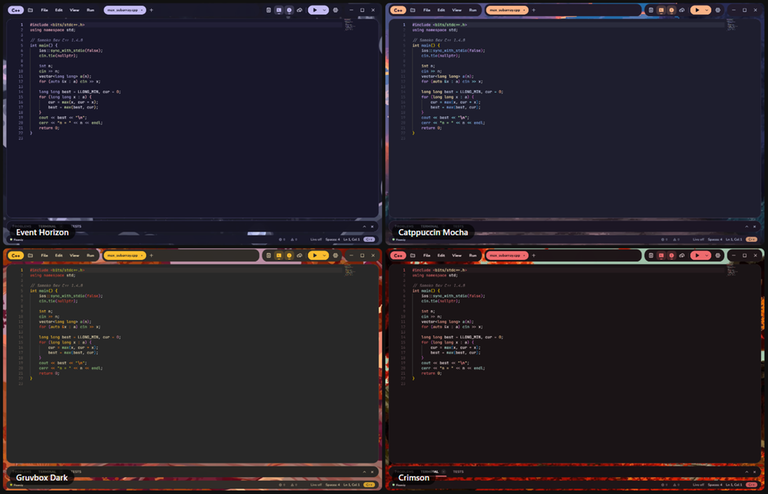
- New themes: Catppuccin Mocha, Gruvbox Dark, Crimson, Event Horizon and new Kawaii ones
- Fixed:
1e5highlighting, and New File in the explorer now uses your template - Faster startup, and a lot of fixes: long correct outputs aren't judged WA anymore, Build & Run always runs what it just built, and a crash can't leave half-written files
- Also: the UI comes in Vietnamese and Chinese, plus Markdown preview and renaming tabs
Thanks ZainUlHaq, balloon, Devana123than, Abdulla_Bin_AH, uday47maurya, DuyMinh3005 and kiiiq_ for the suggestions and bug reports! No macOS build yet (no Mac to test on, sorry!), but submitting from the IDE is coming next update :D
Also, here is the VirusTotal scan for the v1.4.0 installer: 0/56


Hi Codeforces,
When I started learning C++ as a first-year student, I bounced between two options. VS Code looked great, but I spent more time installing MinGW and fixing configs than writing code, just to get <bits/stdc++.h> to work. Every time I switched machines, like the PCs in the lab or at a contest, I had to do it all over again. And it wasn't just me: a lot of my classmates got stuck at the same step before writing a single line of code. Dev-C++ just worked, but it felt stuck in the past, and there was nothing I could change about it.
I'm also the kind of person who likes making my coding space feel like mine. So at some point I thought: why not build the IDE I actually want to use, one that my classmates could just install and start coding with?
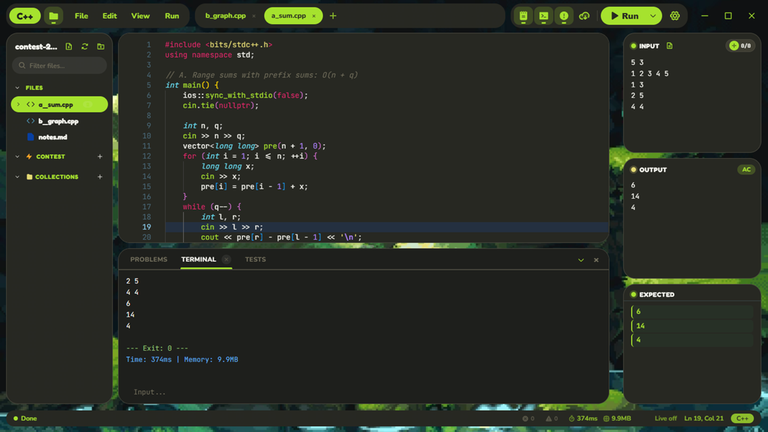
That became Sameko Dev C++. It's free and open source, and the goal is simple: as easy as Dev-C++, but modern and yours. 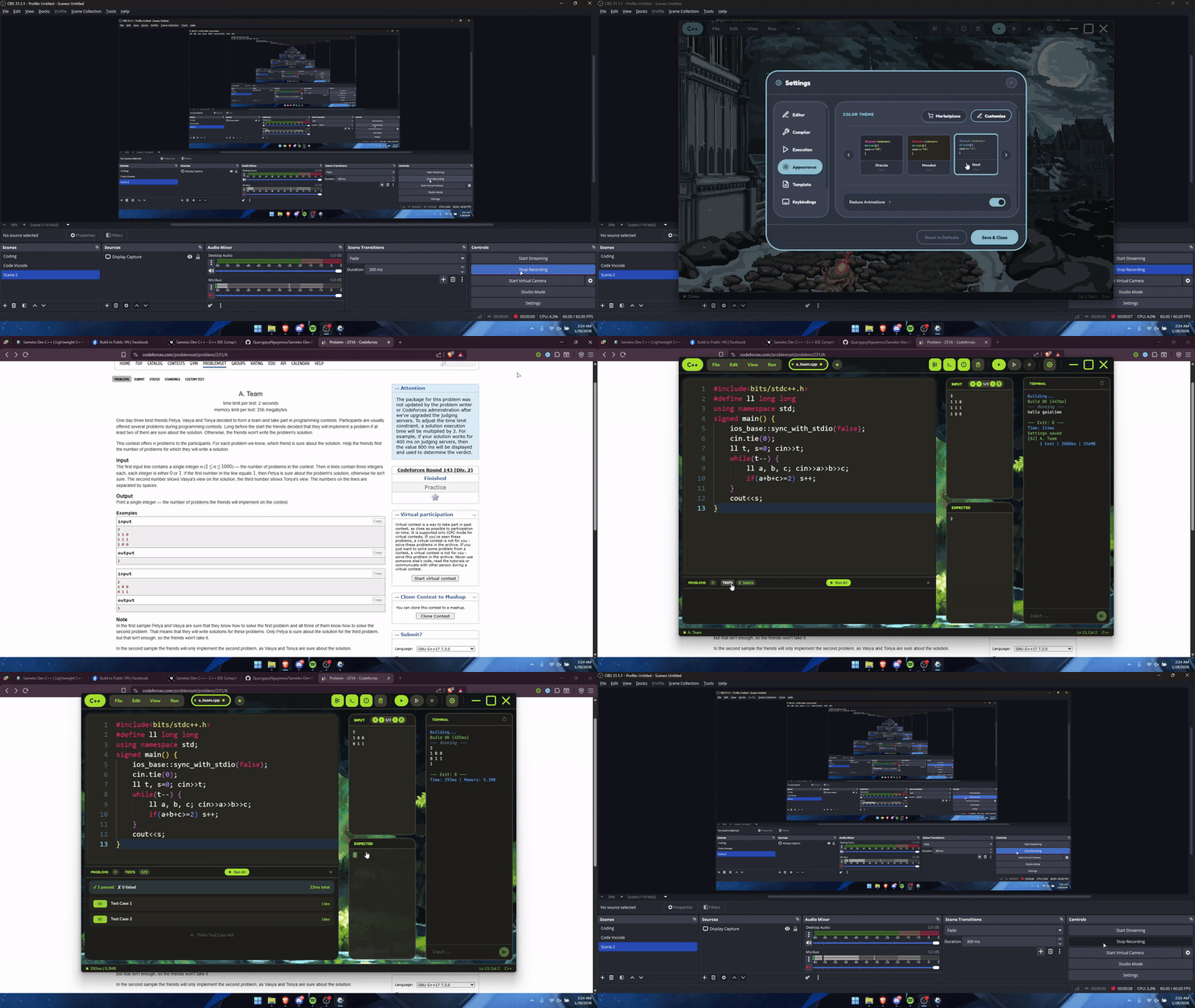
- GCC 16 comes bundled on Windows, so there's no MinGW to set up: install it and start coding.
<bits/stdc++.h>is precompiled, so a typical solution builds in about 0.5–0.7 s on my laptop. - Input / Output / Expected panels that show AC / WA right away, and Competitive Companion support to grab tests from Codeforces and AtCoder.
- A GDB debugger that shows vector, map, set, etc. in a readable way, plus "Auto dry run", which steps through your code by itself while you watch the variables change.
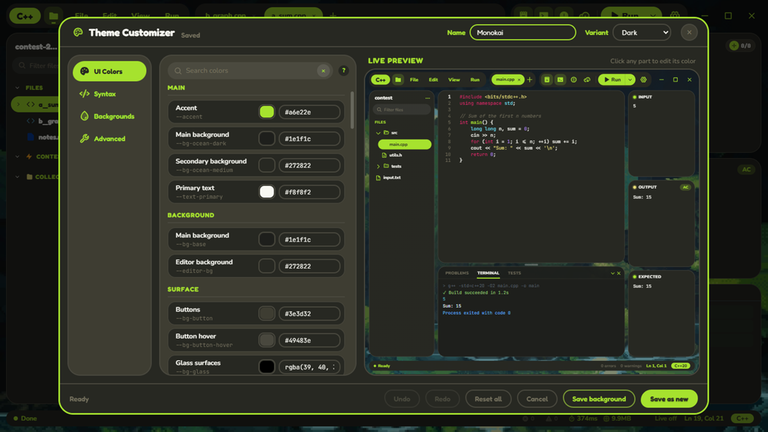
- You can restyle almost everything: colors, themes, even a background image or video.
It's my first big project, so there are surely rough edges.
Download: sameko.dev
Source: GitHub
⚠️ The Windows build isn't code-signed yet, so SmartScreen may warn you. VirusTotal: https://www.virustotal.com/gui/file/9a75adbaa997597b277ef9257b2112f583da062d5d30769bb6b0ab034cc5ee53 (0/49)
btw, the name is inspired by the VTuber Sameko Saba. This is an unofficial fan project, not affiliated with or endorsed by her.
Feedback and bug reports are very welcome. Thanks!


