


Have you ever wanted to analyze competitive programming data through simple, natural language queries? Or visualize rating progressions and performance patterns with ease?
The Codeforces AI Assistant is a project designed to help the competitive programming community explore Codeforces data more effectively. Built as a learning initiative using Codeforces' public APIs, this tool aims to make competitive programming insights accessible to everyone.
What It Does
The Codeforces AI Assistant lets you explore competitive programming insights using simple, natural questions:
- "Show me tourist's profile and recent performance"
- "Find 1500-rated dp problems"
- "Compare two users' rating progressions"
- "Create a visualization of rating journey over time"
Live Demo:
Responses based on prompts:

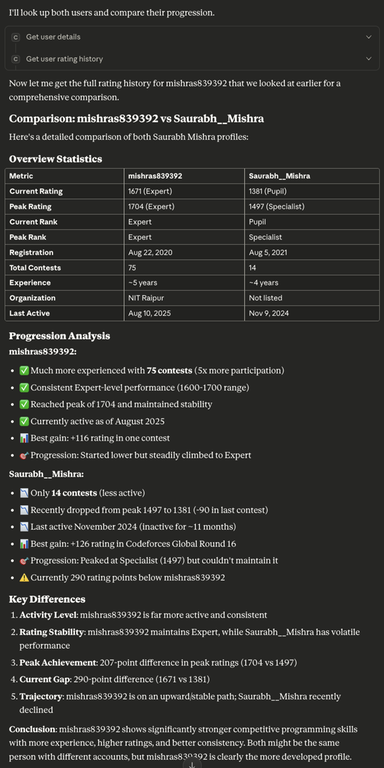
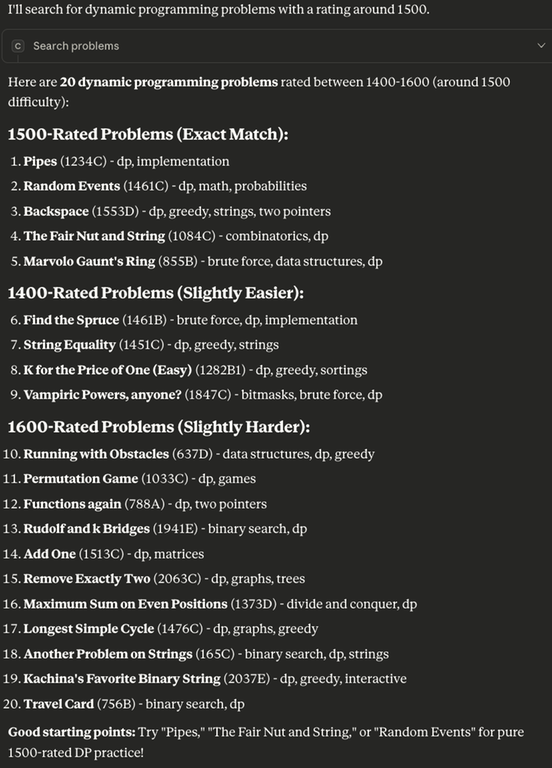
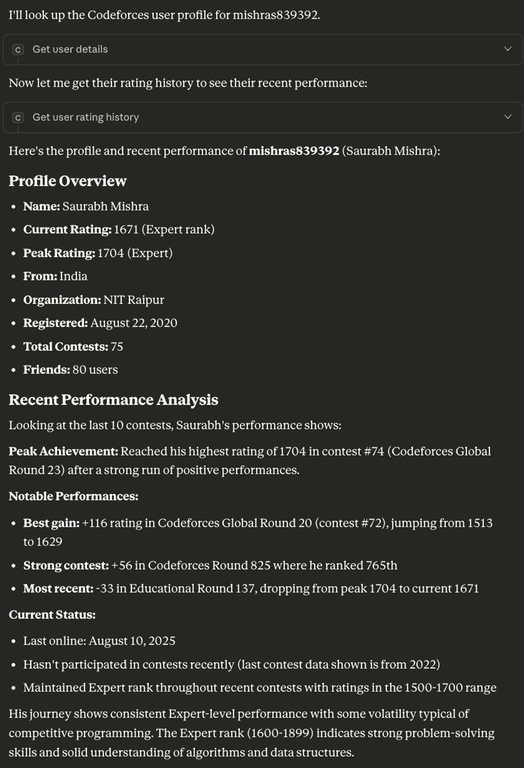
Some example created dashboards
Setup:
Step 1: Install Prerequisites
Java 17+ Required:
- Check if installed: Run
java -versionin terminal/command prompt - If not installed: Download from Oracle JDK or OpenJDK
Step 2: Download Claude Desktop
Get Claude Desktop: Download Claude Desktop
- Available for Windows, macOS, and Linux
- Free to download and use
- Install and create account if needed
Step 3: Download the JAR File
Get the pre-built JAR: Download Codeforces AI Assistant JAR
- Direct download — no building required!
- Save it anywhere on your computer (remember the full path)
Step 4: Configure Claude Desktop
Configuration File Location:
- macOS:
~/Library/Application Support/Claude/claude_desktop_config.json - Windows:
%APPDATA%\Claude\claude_desktop_config.json - Linux:
~/.config/Claude/claude_desktop_config.json
Contribution & Discussion
- GitHub: Repository
- Issues & Features: GitHub Issues
- Community Discussion: GitHub Discussions
What competitive programming insights would you want to explore with AI? Share your thoughts and help shape the future of this tool!
Contributions, feedback, and suggestions are welcome!
An educational project created to serve the competitive programming community. Built with Codeforces' public APIs to help fellow students and competitive programmers learn and improve through data-driven insights.


would be even more helpful if it could tell me the problems I need to solve according to my past data
Thanks for your suggestion! Currently working on these features, will note this for future updates.
This bot does that and gives you 2 problems everyday according to your level, current trends and weak areas.