


**UPD (Nov 2026):** this post was about v1.3.1, Sameko is at v1.4.0 now. Thanks for all the feedback in the comments, a lot of it made it in:↵
↵
- Vim mode↵
- Format on save (13 AStyle styles)↵
- `cerr` goes to its own Stderr card, so debug prints stay out of your output and AC/WA↵
- The terminal no longer has to pop up on every run (Settings > Execution > Show Terminal on Run)↵
- New themes: Catppuccin Mocha, Gruvbox Dark, Crimson, Event Horizon and new Kawaii ones↵
- Fixed: `1e5` highlighting, and New File in the explorer now uses your template↵
- Faster startup, and a lot of fixes: long correct outputs aren't judged WA anymore, Build & Run always runs what it just built, and a crash can't leave half-written files↵
- Also: the UI comes in Vietnamese and Chinese, plus Markdown preview and renaming tabs↵
↵
Thanks [user:ZainUlHaq,2026-11-07], [user:balloon,2026-11-07], [user:Devana123than,2026-11-07], [user:Abdulla_Bin_AH,2026-11-07], [user:uday47maurya,2026-11-07], [user:DuyMinh3005,2026-11-07] and [user:kiiiq_,2026-11-07] for the suggestions and bug reports! No macOS build yet (no Mac to test on, sorry!), but submitting from the IDE is coming next update :D↵
↵
Also, here is the VirusTotal scan for the v1.4.0 installer: [0/56](https://www.virustotal.com/gui/file/f184db56cee5cefdc4a9b4d90a4535780c977d0cfd4a33b7d43db80c5f8b1449)↵
↵
<img src="https://github.com/QuangquyNguyenvo/Sameko-Dev-CPP/releases/download/v1.4.0/sameko-140-run.png" width="32%"> <img src="https://github.com/QuangquyNguyenvo/Sameko-Dev-CPP/releases/download/v1.4.0/sameko-140-kawaii.png" width="32%"> <img src="https://github.com/QuangquyNguyenvo/Sameko-Dev-CPP/releases/download/v1.4.0/sameko-140-themes.png" width="32%">↵
↵
---↵
↵
Hi Codeforces,↵
↵
When I started learning C++ as a first-year student, I bounced between two options. VS Code looked great, but I spent more time installing MinGW and fixing configs than writing code, just to get <bits/stdc++.h> to work. Every time I switched machines, like the PCs in the lab or at a contest, I had to do it all over again. And it wasn't just me: a lot of my classmates got stuck at the same step before writing a single line of code. Dev-C++ just worked, but it felt stuck in the past, and there was nothing I could change about it.↵
↵
I'm also the kind of person who likes making my coding space feel like mine. So at some point I thought: why not build the IDE I actually want to use, one that my classmates could just install and start coding with?↵
↵
That became Sameko Dev C++. It's free and open source, and the goal is simple: as easy as Dev-C++, but modern and yours.↵
↵
↵
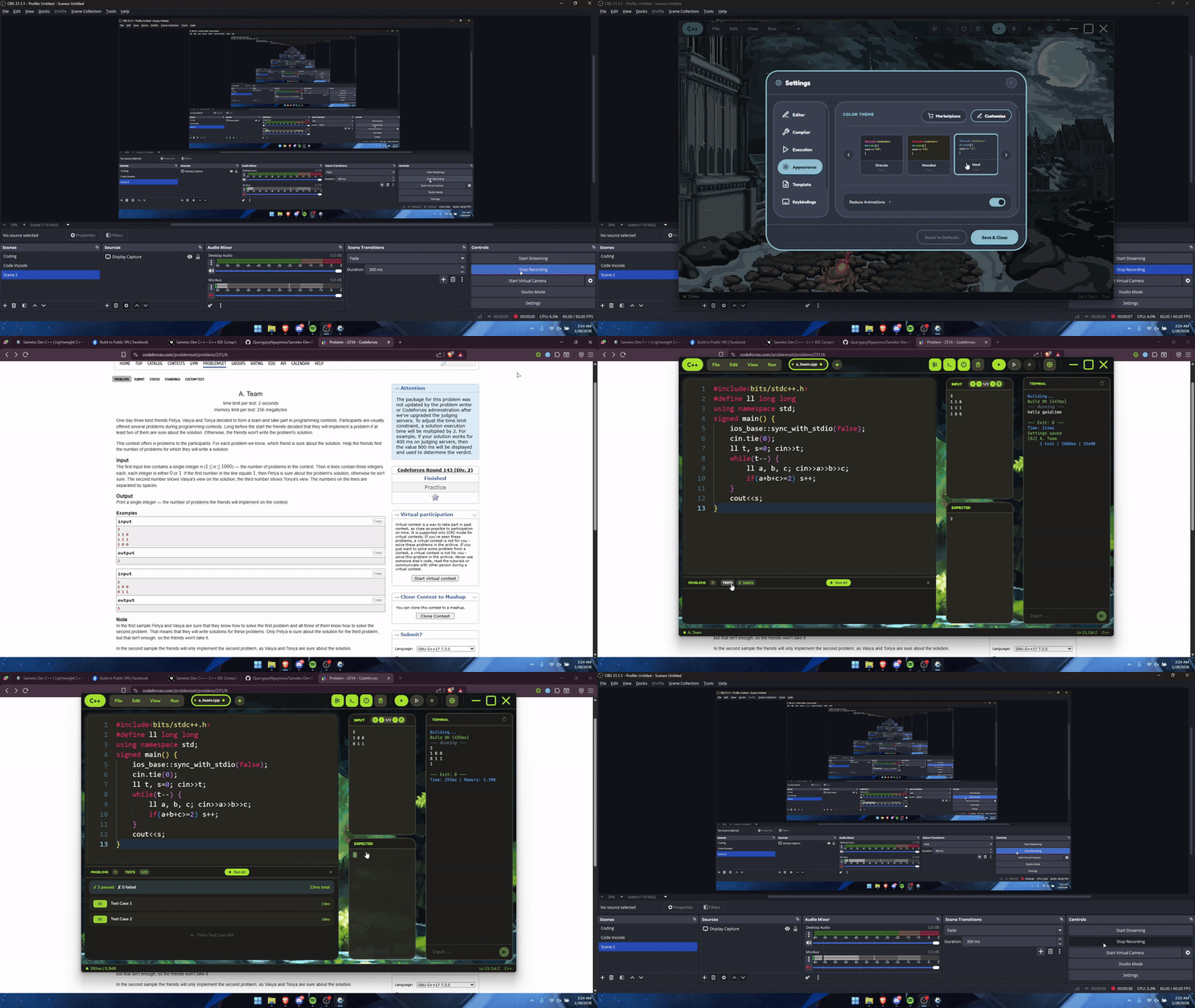
- GCC 16 comes bundled on Windows,with so there's no MinGW to set up: install it and start coding. `<bits/stdc++.h>` is precompiled, so a typical solution builds in about 500-700 m0.5–0.7 s on my laptop. Install it and start coding.↵
- Input / Output / Expected panelswith AC / WAthat show AC / WA right away, and Competitive Companion support to pullgrab tests from Codeforces /and AtCoder.↵
- A GDB debugger that shows vector, map, set.., etc. in a readable way, plus an "Auto dry run" that, which steps through your code by itself while you watch the variables change.↵
- You can restyle almost everything: colors, themes, even a background image or video.↵
↵
↵
" width="49%">↵
↵
It's my first big project, so there are surely rough edges.↵
↵
**Download:** [sameko.dev](https://sameko.dev)↵
↵
**Source:** [GitHub](https://github.com/QuangquyNguyenvo/Sameko-Dev-CPP)↵
↵
⚠️ The Windows build isn't code-signed yet, so SmartScreen may warn you. VirusTotal: [https://www.virustotal.com/gui/file/9a75adbaa997597b277ef9257b2112f583da062d5d30769bb6b0ab034cc5ee53](https://www.virustotal.com/gui/file/9a75adbaa997597b277ef9257b2112f583da062d5d30769bb6b0ab034cc5ee53) (0/49)↵
↵
btw, the name is inspired by the VTuber Sameko Saba. This is an unofficial fan project, not affiliated with or endorsed by her.↵
↵
Feedback and bug reports are very welcome. Thanks!
↵
- Vim mode↵
- Format on save (13 AStyle styles)↵
- `cerr` goes to its own Stderr card, so debug prints stay out of your output and AC/WA↵
- The terminal no longer has to pop up on every run (Settings > Execution > Show Terminal on Run)↵
- New themes: Catppuccin Mocha, Gruvbox Dark, Crimson, Event Horizon and new Kawaii ones↵
- Fixed: `1e5` highlighting, and New File in the explorer now uses your template↵
- Faster startup, and a lot of fixes: long correct outputs aren't judged WA anymore, Build & Run always runs what it just built, and a crash can't leave half-written files↵
- Also: the UI comes in Vietnamese and Chinese, plus Markdown preview and renaming tabs↵
↵
Thanks [user:ZainUlHaq,2026-11-07], [user:balloon,2026-11-07], [user:Devana123than,2026-11-07], [user:Abdulla_Bin_AH,2026-11-07], [user:uday47maurya,2026-11-07], [user:DuyMinh3005,2026-11-07] and [user:kiiiq_,2026-11-07] for the suggestions and bug reports! No macOS build yet (no Mac to test on, sorry!), but submitting from the IDE is coming next update :D↵
↵
Also, here is the VirusTotal scan for the v1.4.0 installer: [0/56](https://www.virustotal.com/gui/file/f184db56cee5cefdc4a9b4d90a4535780c977d0cfd4a33b7d43db80c5f8b1449)↵
↵
<img src="https://github.com/QuangquyNguyenvo/Sameko-Dev-CPP/releases/download/v1.4.0/sameko-140-run.png" width="32%"> <img src="https://github.com/QuangquyNguyenvo/Sameko-Dev-CPP/releases/download/v1.4.0/sameko-140-kawaii.png" width="32%"> <img src="https://github.com/QuangquyNguyenvo/Sameko-Dev-CPP/releases/download/v1.4.0/sameko-140-themes.png" width="32%">↵
↵
---↵
↵
Hi Codeforces,↵
↵
When I started learning C++ as a first-year student, I bounced between two options. VS Code looked great, but I spent more time installing MinGW and fixing configs than writing code, just to get <bits/stdc++.h> to work. Every time I switched machines, like the PCs in the lab or at a contest, I had to do it all over again. And it wasn't just me: a lot of my classmates got stuck at the same step before writing a single line of code. Dev-C++ just worked, but it felt stuck in the past, and there was nothing I could change about it.↵
↵
I'm also the kind of person who likes making my coding space feel like mine. So at some point I thought: why not build the IDE I actually want to use, one that my classmates could just install and start coding with?↵
↵
That became Sameko Dev C++. It's free and open source, and the goal is simple: as easy as Dev-C++, but modern and yours.↵
↵
↵
- GCC 16 comes bundled on Windows,
- Input / Output / Expected panels
- A GDB debugger that shows vector, map, set
- You can restyle almost everything: colors, themes, even a background image or video.↵
↵
↵
↵
**Source:** [GitHub](https://github.com/QuangquyNguyenvo/Sameko-Dev-CPP)↵
↵
⚠️ The Windows build isn't code-signed yet, so SmartScreen may warn you. VirusTotal: [https://www.virustotal.com/gui/file/9a75adbaa997597b277ef9257b2112f583da062d5d30769bb6b0ab034cc5ee53](https://www.virustotal.com/gui/file/9a75adbaa997597b277ef9257b2112f583da062d5d30769bb6b0ab034cc5ee53) (0/49)↵
↵
btw, the name is inspired by the VTuber Sameko Saba. This is an unofficial fan project, not affiliated with or endorsed by her.↵
↵
Feedback and bug reports are very welcome. Thanks!


