


The math renderer was changed/updated recently but it looks much worse than the previous version.
First off, it takes much longer to fully render; before it does it looks like this, which is small and hard to read: 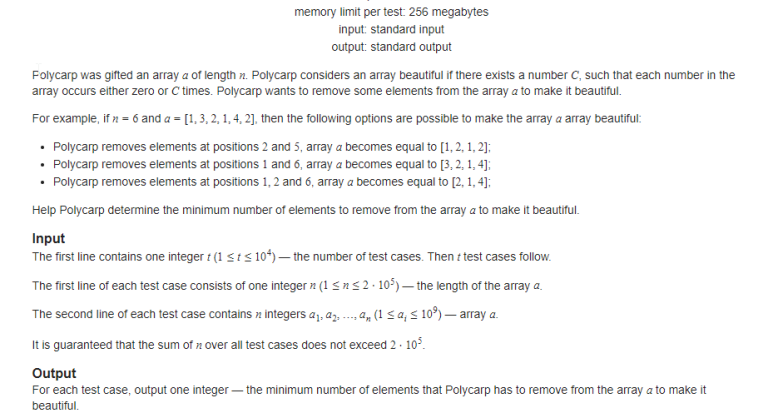
Then when it does fully render, it's quite blurry: 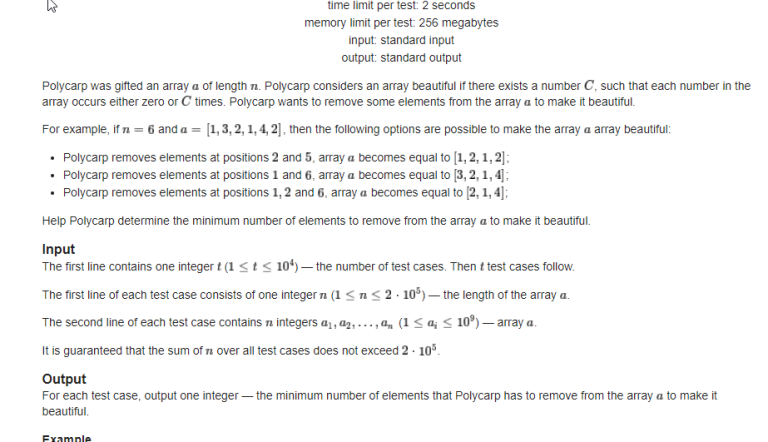


Try this: visit https://github.com/mathjax/MathJax/tree/2.7.9/fonts/HTML-CSS/TeX/otf , install all fonts, and restart your browser (if this does not work, try restart computer).
This may help until the next change of math renderer.
An alternative solution is: left-click on math to select it → right-click on it → select "math settings" → select "math renderer" → select "SVG".
I tried this; it does improve the visuals somewhat, but it still takes way too long to render, and some font styles (e.g. bold) are still blurry
The current workaround I'm going with is to switch the math renderer to SVG mode and to increase the browser zoom slightly to 110%.
It's because the 3 fonts listed are not covered all fonts. I finally found all fonts here: https://github.com/mathjax/MathJax/tree/2.7.9/fonts/HTML-CSS/TeX/otf.
The reason why the renderer takes too long time is: It trying to download fonts from a link but always failed. If all fonts installed locally, the renderer will use it so it will take less time.
You can just right click on a math equation and change it from Math Settings->Math Renderer
Thanks, I'll check other versions of MathJax.
Please, check it now. Probably, you would need Ctrl+F5 to reload without caching.