


Hi Codeforces,
Like many of you, I spend a lot of time on Codeforces but I have always felt the profile page tells you what you solved, not how you solve.
After a few months of looking at my own submissions manually (rating distribution, weak tags, unsolved problems), I decided to automate the parts I kept checking by hand. I also added two small quality-of-life features along the way: one-click bookmarks on any problem, and auto-fill on the submit page.
The result is CF Analytics Pro a small browser extension that adds analytics to any Codeforces profile.
What kept bothering me
Four small frustrations pushed me to build this:
- Codeforces shows a flat "problem count" per tag, but not where the unsolved ones actually are.
- There is no easy way to see "what should I practice next?" you have to filter the problemset manually.
- Bookmarking is buried in the "Add to favourites" flow.
- You finish a problem, click submit, and then realize you have to type
2264E2by hand. Again.
So I built a small extension that handles all of it.
What it does
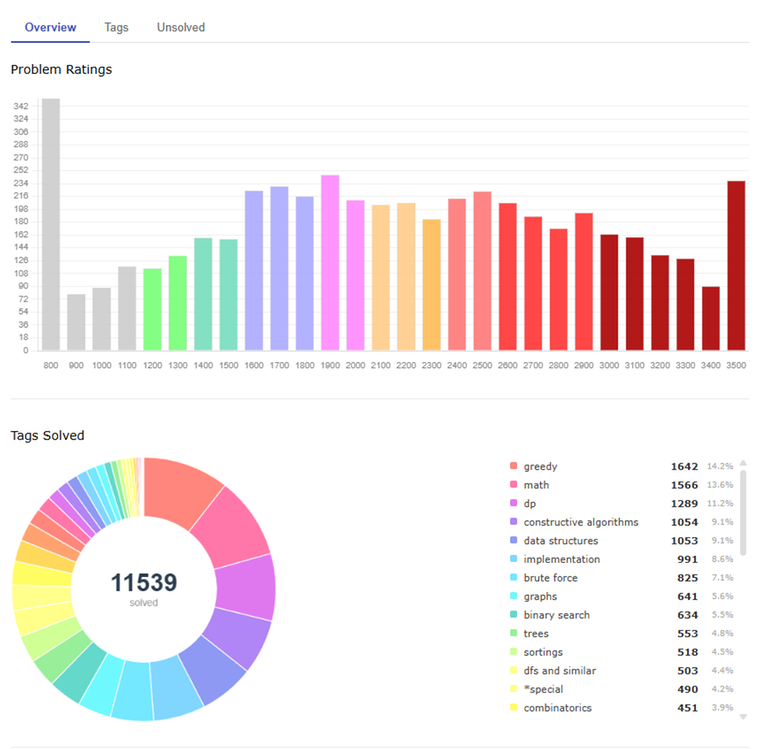
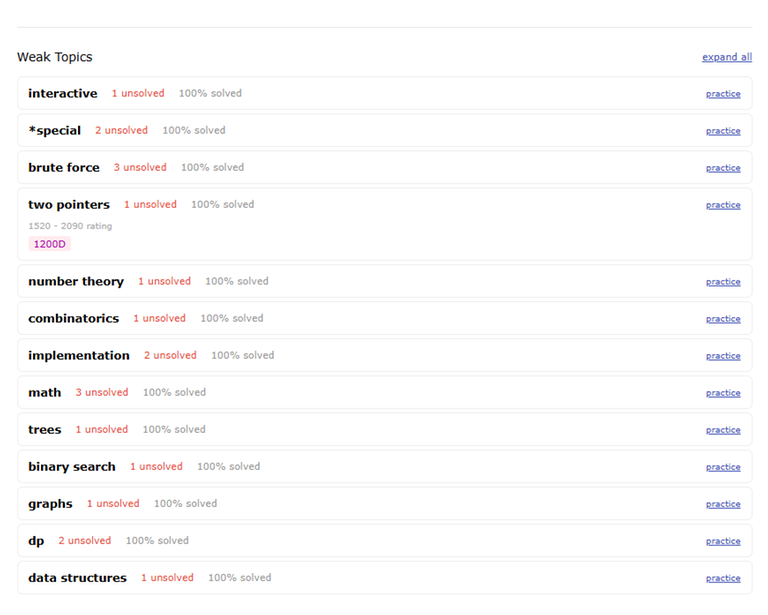
Overview: A bar chart of solved problems by rating (clickable) and a donut of tags solved (clickable). A Weak Topics section surfaces tags where you have unsolved problems and links to a practice filter at your level.
Unsolved tab: Problems you have attempted but never solved, grouped by persistence Stuck (5+), Close (3-4), Fresh (1-2).
Tags tab: Every attempted tag, expandable to see individual problems.
Bookmarks: A one click star on any problem page. Uses Codeforces' own icons. Stored locally.
Smart Submit: Fills the problem code automatically when you reach the submit page after visiting a problem.
Screenshots
Notes on privacy
Everything runs locally in your browser. No tracking, no analytics, no external servers. It only calls the official Codeforces API.
Source and install
The extension is open source and it is currently under review on the Chrome Web Store. Until then, you can install it manually from GitHub.
- GitHub: https://github.com/SanjibBayen/cf-analytics-pro
- Latest release: https://github.com/SanjibBayen/cf-analytics-pro/releases/latest
Feedback
If you try it, I would appreciate specific feedback bugs, missing features, or suggestions. The source is open and contributions are welcome.


 Comments (0)


