


Hello Codeforces!
I was recently looking at some profiles and stumbled upon what seems like a neat hidden UI feature in the rating graph that I haven't seen mentioned before.
Try this out:
- Go to any user's profile.
- Click on the left side of their rating graph.
- Scroll down using your mouse wheel.
Instead of zooming the whole graph evenly, it stretches the graph from the left side, letting you zoom in on older contests while the right side (the current rating) stays perfectly anchored in place. It's actually a really nice way to inspect past progress without losing sight of where the rating is right now.
I’ve attached a video below demonstrating exactly how it works.
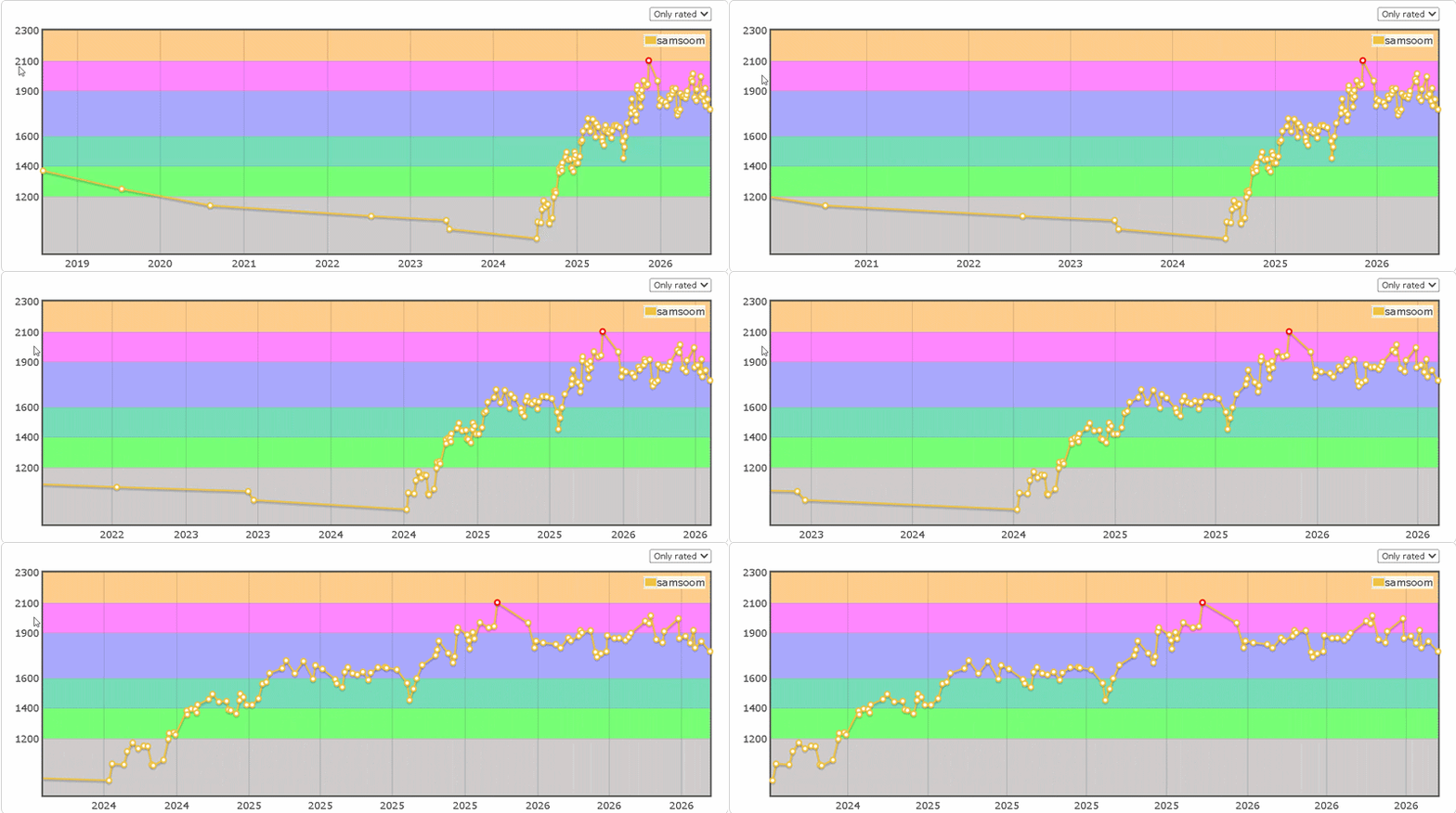
Did anyone else know about this? Are there any other hidden UI tricks on Codeforces that I’ve been missing out on?


Auto comment: topic has been updated by Barakat. (previous revision, new revision, compare).
pretty cool feature tbh
But don’t remind me of my terrible rating graph :(
Master on the Graph
GrandMaster in my eyes
Amazing, i always struggle to zoom in to see the changes in recent contests, with this is easier :D
right side also works
Barakat., the same thing happens if you click on the bottom of the rating graph and scroll. It stretches out vertically.
i knew this, and you can drag after you scroll too