Most Sublime Text users use the "FastOlympicCodingHook" tool to facilitate transferring tests from the browser to the program.
It's a good tool, but not very practical, as you have to click the "Listen to Competitive Companion" button every time to force the program to accept tests from the browser. I also encountered the problem that there isn't a tool that creates a separate file for each test, and sometimes the tool's response to the browser is unreliable. This piqued my curiosity, and I started looking for ways to fix these problems. It took me more than three days of searching and trying, but I couldn't find any articles that actually addressed these issues. I even resorted to using AI and asked it to fix these problems. It took a few hours because I didn't get the best result the first time, but finally, I can say I did it.
import sublime
import sublime_plugin
from http.server import BaseHTTPRequestHandler, HTTPServer
import json
import threading
import os

class UltimateCPHandler(BaseHTTPRequestHandler):
    def send_cors_headers(self, is_options=False):
        self.send_response(204 if is_options else 200)
        self.send_header('Access-Control-Allow-Origin', '*')
        self.send_header('Access-Control-Allow-Methods', 'POST, OPTIONS')
        self.send_header('Access-Control-Allow-Headers', 'Content-Type')
        self.send_header('Access-Control-Allow-Private-Network', 'true')
        self.end_headers()

    def do_OPTIONS(self):
        self.send_cors_headers(True)

    def do_POST(self):
        try:
            content_length = int(self.headers['Content-Length'])
            data = json.loads(self.rfile.read(content_length).decode('utf-8'))
            sublime.set_timeout(lambda: self.process_problem(data), 0)
            self.send_cors_headers()
            self.wfile.write(b'{"status":"success"}')
        except Exception as e:
            print("Error in POST: {0}".format(str(e)))

    def process_problem(self, data):
        full_name = data.get("name", "problem")
        name = "".join([c for c in full_name.split()[0] if c.isalnum()])

        # --- DYNAMIC PATH START ---
        # Automatically creates a 'CP_Problems' folder in the user's home directory
        work_dir = os.path.join(os.path.expanduser("~"), "CP_Problems")
        if not os.path.exists(work_dir):
            os.makedirs(work_dir)
        # --- DYNAMIC PATH END ---

        cpp_file = os.path.join(work_dir, name + ".cpp")
        tests_file = cpp_file + "_tests"

        if not os.path.exists(cpp_file) or os.path.getsize(cpp_file) == 0:
            with open(cpp_file, "w", encoding='utf-8') as f:
                f.write("// Problem: {0}\n".format(full_name))
                f.write("#include <bits/stdc++.h>\n\n")
                f.write("using namespace std;\n\n")
                f.write("void solve() {\n")
                f.write("    \n")
                f.write("}\n\n")
                f.write("int main() {\n")
                f.write("    ios_base::sync_with_stdio(false);\n")
                f.write("    cin.tie(NULL);\n\n")
                f.write("    int t = 1;\n")
                f.write("    cin >> t;\n")
                f.write("    while (t--) {\n")
                f.write("        solve();\n")
                f.write("    }\n\n")
                f.write("    return 0;\n")
                f.write("}\n")

        samples = data.get("tests", [])
        ntests = [{"test": t["input"], "correct_answers": [t["output"].strip()]} for t in samples]
        with open(tests_file, "w", encoding='utf-8') as f:
            f.write(json.dumps(ntests))

        target = "{0}:8:4".format(cpp_file)
        sublime.active_window().open_file(target, sublime.ENCODED_POSITION)
        sublime.status_message("Problem Loaded: {0}".format(name))

def run_ultimate_server():
    try:
        server = HTTPServer(('127.0.0.1', 27121), UltimateCPHandler)
        server.serve_forever()
    except: pass

def plugin_loaded():
    t = threading.Thread(target=run_ultimate_server)
    t.daemon = True
    t.start()

class FastOlympicCodingHookCommand(sublime_plugin.TextCommand):
    def run(self, edit):
        sublime.status_message("Listener is already active.")
Now you need to delete the FastOlympicCodingHook folder if it exists, and this file will take care of the rest.
Installation & Requirements To get the full experience (Parsing + Running), you need these 3 things:
The Runner: Install the FastOlympicCoding plugin via Package Control (for running tests with Ctrl+Alt+B).
The Browser Extension: Install Competitive Companion in your browser. Set its port to 27121 in the extension settings.
The Ultimate Hook (My Script):
In Sublime, go to Preferences -> Browse Packages....
Navigate into the User folder.
Create a new file named UltimateCP.py and paste the code below.
(Note: If you have the old FastOlympicCodingHook folder, delete it to avoid conflicts).
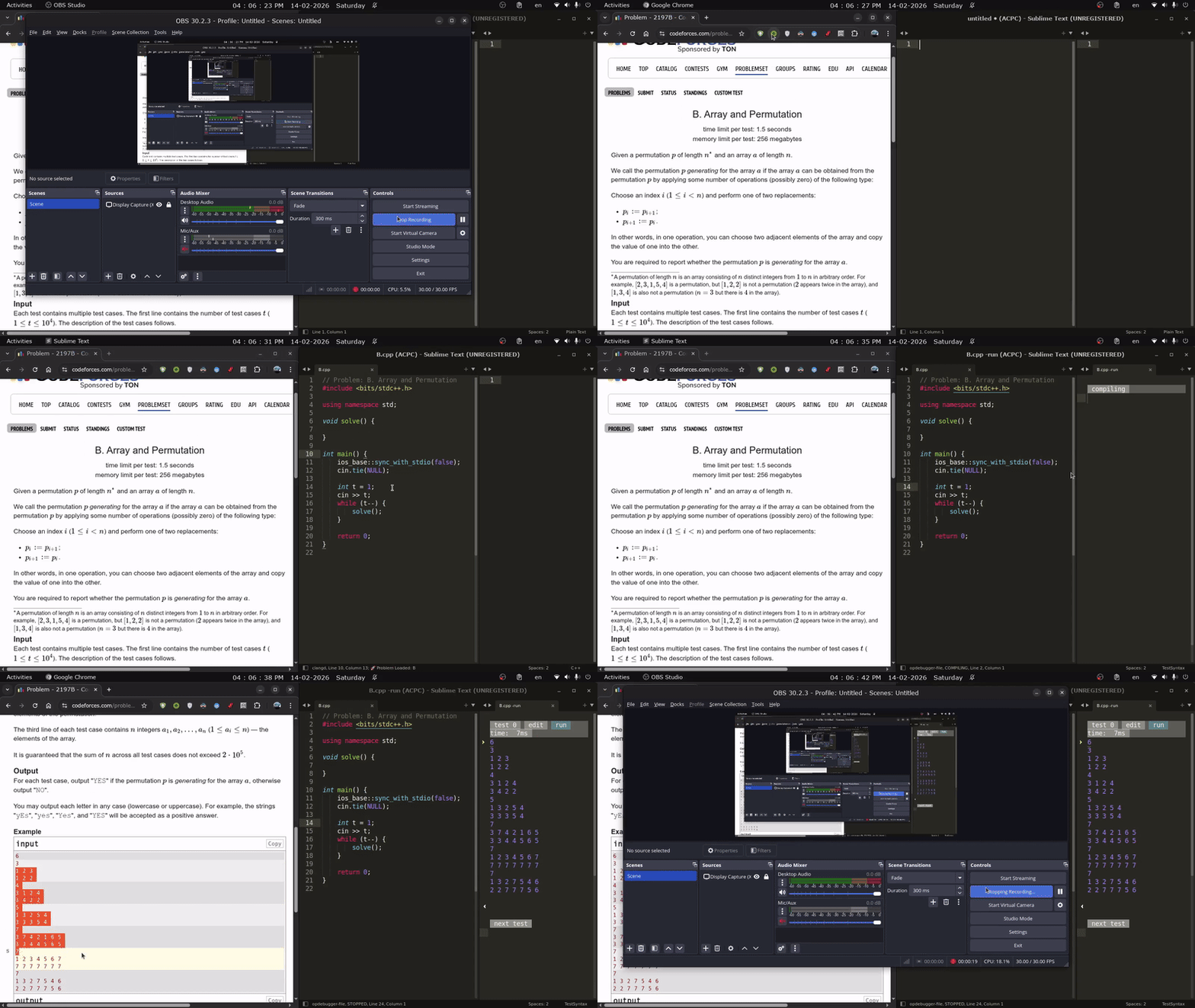
The file is editable and customizable as you like. You can also add your own template.
That's all. Restart the program and everything should work fine. If you encounter any problems, feel free to contact me.